One photo · Ready-made dances
Photo to dance video generator
Pick a ready-made routine and turn one photo into a dance video. Try the kitchen dance, the Sheldon routine or the original Angry Dance Filter.
Preview the moves and check the credit quote before you start.
Pick a danceUpdated November 11, 2026
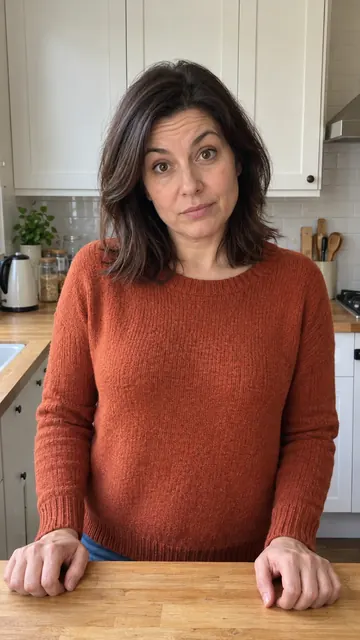 Photo
Pick an Angry Dance Filter template
Upload a clear photo
Front-facing, well-lit photos with the face and upper body visible work best. Up to 10MB.
Pick quality & length
This video: 10 credits · See pricing
Credit packs start at $6.98 for 10 credits.
By creating, you confirm you have permission to use this photo. Terms of Service
Failed videos are refunded to your credits.
Choose a dance that fits your photo
| Routine | What moves | Photo to try |
|---|---|---|
| Angry Dance Filter | An exaggerated argument with animated arm movements | A clear solo portrait with room around the shoulders and arms |
| Sheldon dance | A longer sequence with body movement | One person standing with their arms and legs visible |
| Angry Lady dance | A kitchen routine built around expressive upper-body gestures | A front-facing photo with the face and upper body in view |
Photo to dance in four steps
- 1
Preview and select the routine
Choose the gestures or footwork you want. A clear view of the legs and feet helps with full-body routines.
- 2
Upload one photo
Choose a JPG or PNG up to 10 MB that you have permission to use. Both dimensions must exceed 300 pixels.
- 3
Choose length and quality
Pick 5 seconds, 10 seconds or the full routine. Compare the 720p and 1080p credit quotes before you submit.
- 4
Generate and review
Sign in, submit with enough credits and play the result when the task finishes. Save the MP4 when you are happy with it.
Get the framing right
Match the crop of the photo to the dance you picked. If the reference uses footwork, show both feet and leave space around the dancer. For an upper-body routine, keep the face well lit and avoid cropping hands that are already in the frame.
Use a sharp picture with one main subject. Strong backlighting, busy backgrounds and multiple people make it harder for the model to keep the right person in view. Try the 5-second cut first if you are unsure how a photo will move.
Use a preset or bring your own dance
Photo to dance supplies the motion from the selected template. For a side-to-side bounce, try the Jawn Dance template. If you have a particular performance in mind, use AI Dance Swap to upload your own reference video. Curious about the song that inspired these templates? Read who Imael Angel is.
Credits depend on the length and resolution you select. The generator shows the current quote. See credit packs if you need more credits for the clip.
Questions people ask
Do I have to upload a dance video?
One photo is enough on this page. The routine you select supplies the movement.
Will a cropped selfie work?
A clear upper-body photo is a better fit for a gesture-heavy dance. Show the full body if you want to see footwork.
What video length can I choose?
Choose 5 seconds, 10 seconds or the full reference, which is 14 or 15 seconds depending on the routine.
How much does a photo to dance video cost?
The generator shows the credit quote for your exact duration and resolution before submission. You need an account and enough credits to start.
Can I add a song after generating?
Yes. Save the MP4 and add audio you are permitted to use in your editor or the publishing platform’s sound picker.